Meteogram for iPhone4.1 - App Store

Please wait ... The app listing is being verified for availability.
You'll be able to see results in few seconds.


Publisher Description

Are you interested in weather trends? Then this is the right application for you.

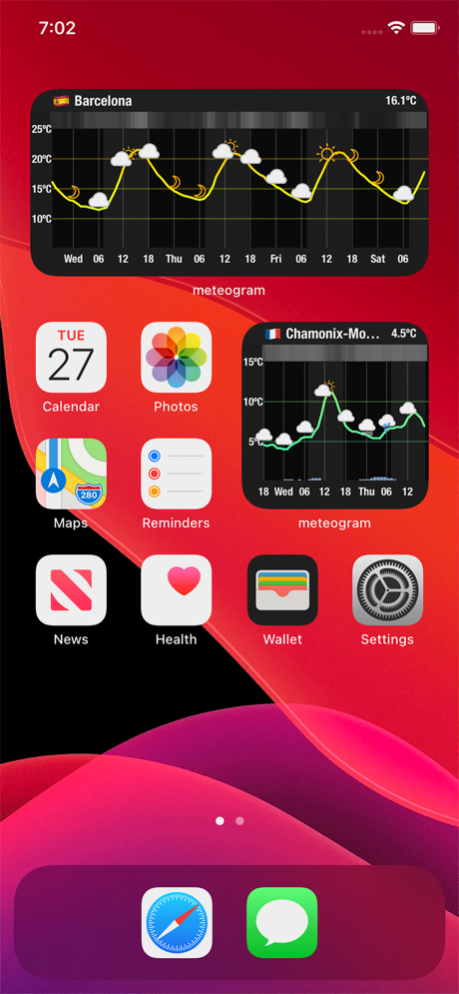
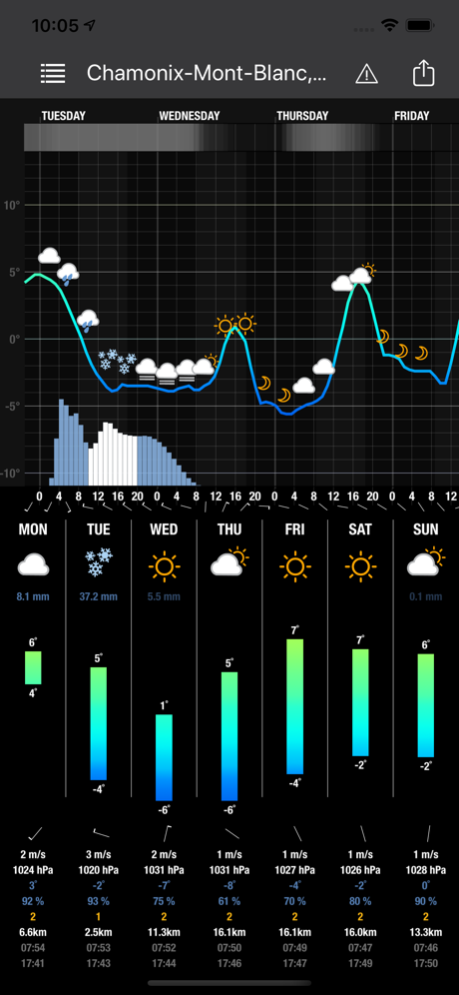
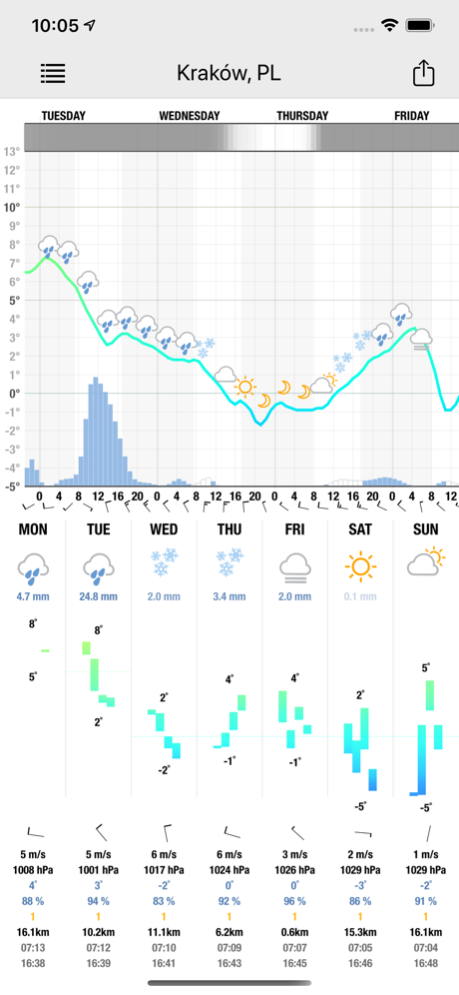
Meteogram gives you graphical depictions of trends with variables such as temperature, atmospheric pressure, humidity, wind speed, percentage of cloud cover.

There is one screen mode, it shows you detailed weather trend for the next 48 hours.
There is a special pop-up menu for easy usability. There is no need to follow the values on the vertical and horizontal axes, rather you "tap" anywhere on the chart and more detailed information are displayed.

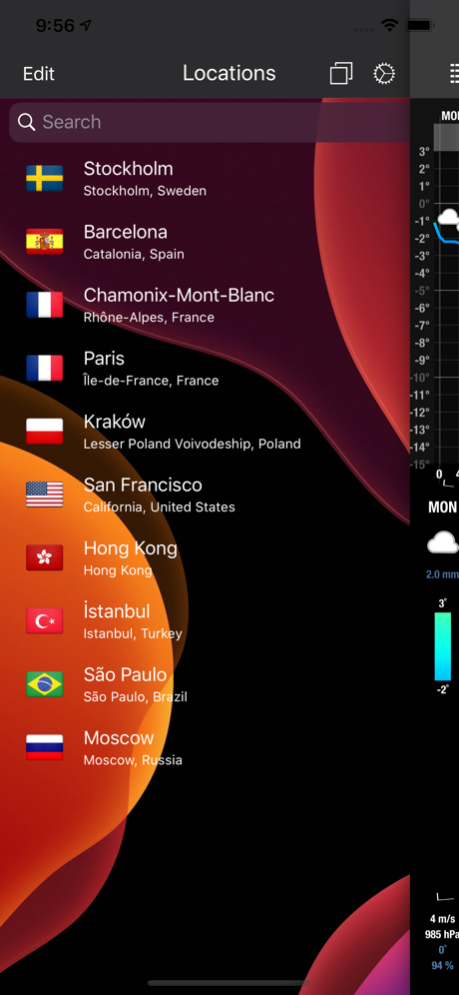
With the Meteogram app you can access data for your current location or select a location from the database which contains over 120 000 cities worldwide.

The Meteogram application supports Imperial and Metric units.

If you have any feature requests regarding this application, please click on Meteogram support link (at the top of the page) and use the contact from. I will try to help you as soon as I can!

Version History widgets for iOS 14, support for new iPhone models 4.1 10/29/2020 widgets for iOS 14, support for new iPhone models 4.0 10/28/2020 Added compatibility for iOS 13 and introduces Dark Mode support. 3.0 02/05/2020 - New Apple Watch app
- Native support for the iPhone 6 and iPhone 6 Plus
- New 3DTouch menu on home screen
- Improved support for iOS 9
- Various UI improvements and updates 2.4 11/24/2015 - new design for iOS7
- improved stability and bug fixes.
- users can now select different font sizes to increase readability
- wind speed layer is available again 2.1 02/09/2014 new design for iOS7

NOTE: If you experience the app crashing when starting up after an upgrade, disable the location service for Meteogram (Settings -> Privacy -> Location Services) 2.0 01/24/2014 1.0 12/30/2010


About Meteogram for iPhone

Meteogram for iPhone is a paid app for iOS published in the Other list of apps, part of Network & Internet.

The company that develops Meteogram for iPhone is Michal Frankowski. The latest version released by its developer is 4.1.

To install Meteogram for iPhone on your iOS device, just click the green Continue To App button above to start the installation process. The app is listed on our website since 2026-09-24 and was downloaded 0 times. We have already checked if the download link is safe, however for your own protection we recommend that you scan the downloaded app with your antivirus. Your antivirus may detect the Meteogram for iPhone as malware if the download link is broken.

How to install Meteogram for iPhone on your iOS device:

  • Click on the Continue To App button on our website. This will redirect you to the App Store.
  • Once the Meteogram for iPhone is shown in the iTunes listing of your iOS device, you can start its download and installation. Tap on the GET button to the right of the app to start downloading it.
  • If you are not logged-in the iOS appstore app, you'll be prompted for your your Apple ID and/or password.
  • After Meteogram for iPhone is downloaded, you'll see an INSTALL button to the right. Tap on it to start the actual installation of the iOS app.
  • Once installation is finished you can tap on the OPEN button to start it. Its icon will also be added to your device home screen.

Program Details


General

Publisher
Released Date
2026-09-24
Languages
English

Category

Category
Subcategory

System requirements

Operating systems
iOS

Download information

File size
54 bytes
Total downloads
0

Pricing

License model
Paid
Price

Version History


Here you can find the changelog of Meteogram for iPhone since it was posted on our website on 2016-09-24. The latest version is 4.1 and it was updated on Apps112 on 03 October, 2026. See below the changes in each version:

version 4.1

posted on 2026-09-24

Version History widgets for iOS 14, support for new iPhone models 4.1 10/29/2020 widgets for iOS 14, support for new iPhone models 4.0 10/28/2020 Added compatibility for iOS 13 and introduces Dark Mode support. 3.0 02/05/2020 - New Apple Watch app
- Native support for the iPhone 6 and iPhone 6 Plus
- New 3DTouch menu on home screen
- Improved support for iOS 9
- Various UI improvements and updates 2.4 11/24/2015 - new design for iOS7
- improved stability and bug fixes.
- users can now select different font sizes to increase readability
- wind speed layer is available again 2.1 02/09/2014 new design for iOS7

NOTE: If you experience the app crashing when starting up after an upgrade, disable the location service for Meteogram (Settings -> Privacy -> Location Services) 2.0 01/24/2014 1.0 12/30/2010

version 4.1

posted on 2020-10-29

Oct 29, 2020 Version 4.1
widgets for iOS 14, support for new iPhone models

version 4.1

posted on 2020-10-29

widgets for iOS 14, support for new iPhone models

version 4.0

posted on 2020-10-28

Oct 28, 2020 Version 4.0
widgets for iOS 14, support for new iPhone models

version 3.0

posted on 2020-02-05

Feb 5, 2020 Version 3.0
Added compatibility for iOS 13 and introduces Dark Mode support.

version 2.4

posted on 2010-12-30

version 3.0

posted on 1970-01-01

2020年2月5日 Version 3.0
Added compatibility for iOS 13 and introduces Dark Mode support.

Disclaimer


Official App Store Link


We do not host Meteogram for iPhone on our servers. We did not scan it for viruses, adware, spyware or other type of malware. This app is hosted by Apple and passed their terms and conditions to be listed there. We recommend caution when installing it.

The App Store link for Meteogram for iPhone is provided to you by apps112.com without any warranties, representations or guarantees of any kind, so access it at your own risk.

If you have questions regarding this particular app contact the publisher directly. For questions about the functionalities of apps112.com contact us.


Click stars to rate this APP!

Users Rating:
  0.0/5     0
Downloads: 0
Updated At: 2026-10-03
Operating System: iOS
License Type: Paid

TOP DOWNLOADS
in Network & Internet last week